

Step 1
- Charge your phone up to 50%
- Download Samsung Galaxy A51 SM-A515F USB Drivers and install it to your computer.
- Turn ON USB Debugging and Developer mode on Samsung Galaxy phone.
Step 2
Download Odin program to your Pc
- Now Download Oding program to your laptop or to your Computer.
- after Downloaded, install it and launch.
Step 3
- take your phone and Turn OFF it by pressing power key.
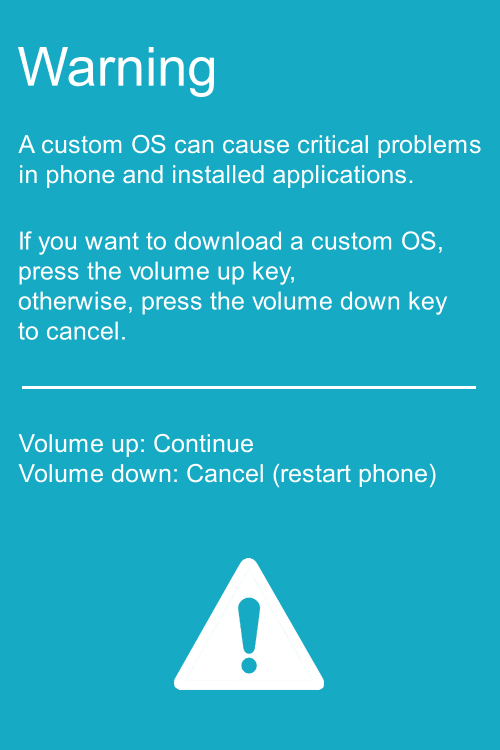
- Now press and hold Power key + Home key + Volume down key until boot to download mode.
Step 4
- Connect your phone to your PC or laptop by using USB data cable. it’s better use original Data cables..
Step 5
Download Magisk File file for Samsung Galaxy A51 SM-A515F
- Download Magisk File for Samsung Galaxy A51 SM-A515F . (Yes this zip may include Odin tool again. use one of odin.)
- Magisk File is ZIP so, you have to unzip.
Step 6
- Now press Volume up key to continue to Download Mode.
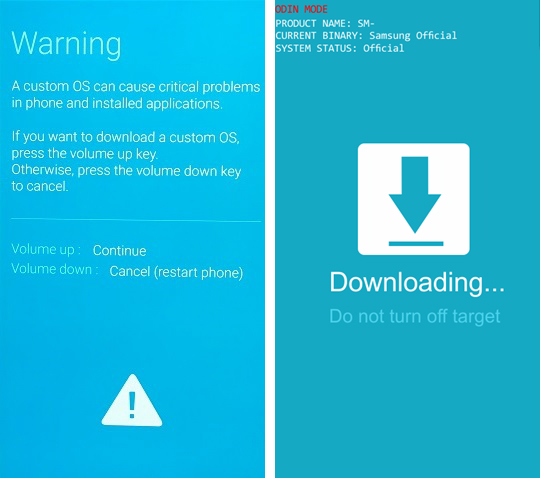
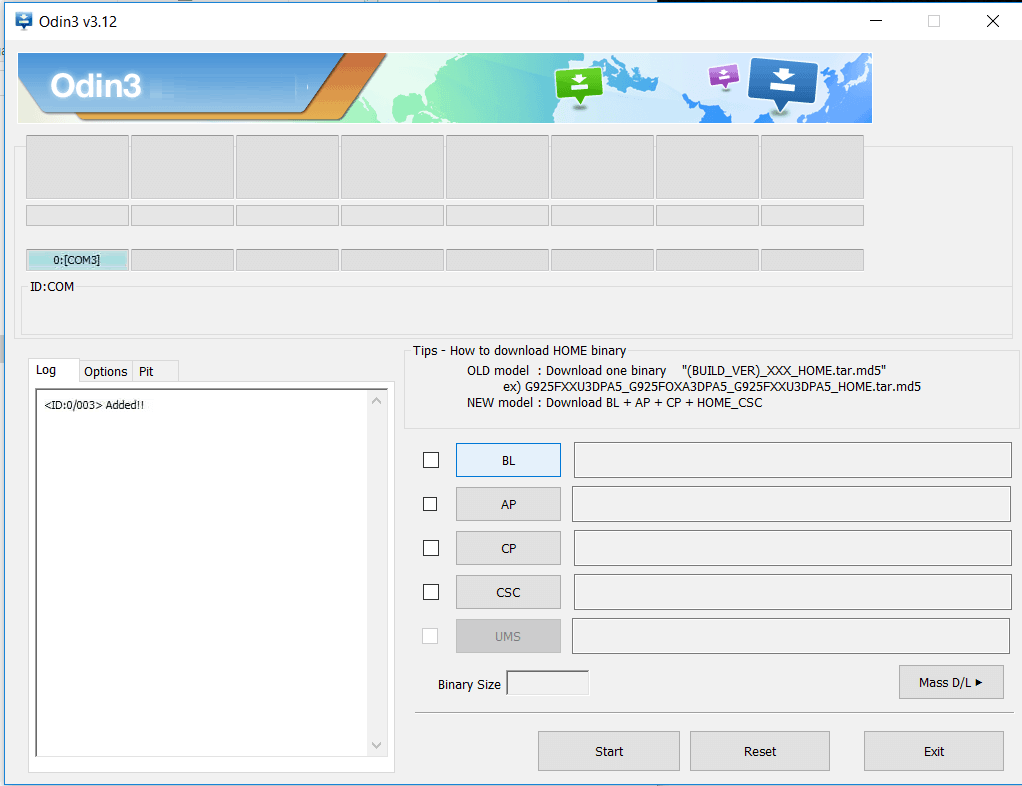
- After tapping Volume up key, you will able to see “Added Message” in oding tool’s notification box
Step 7
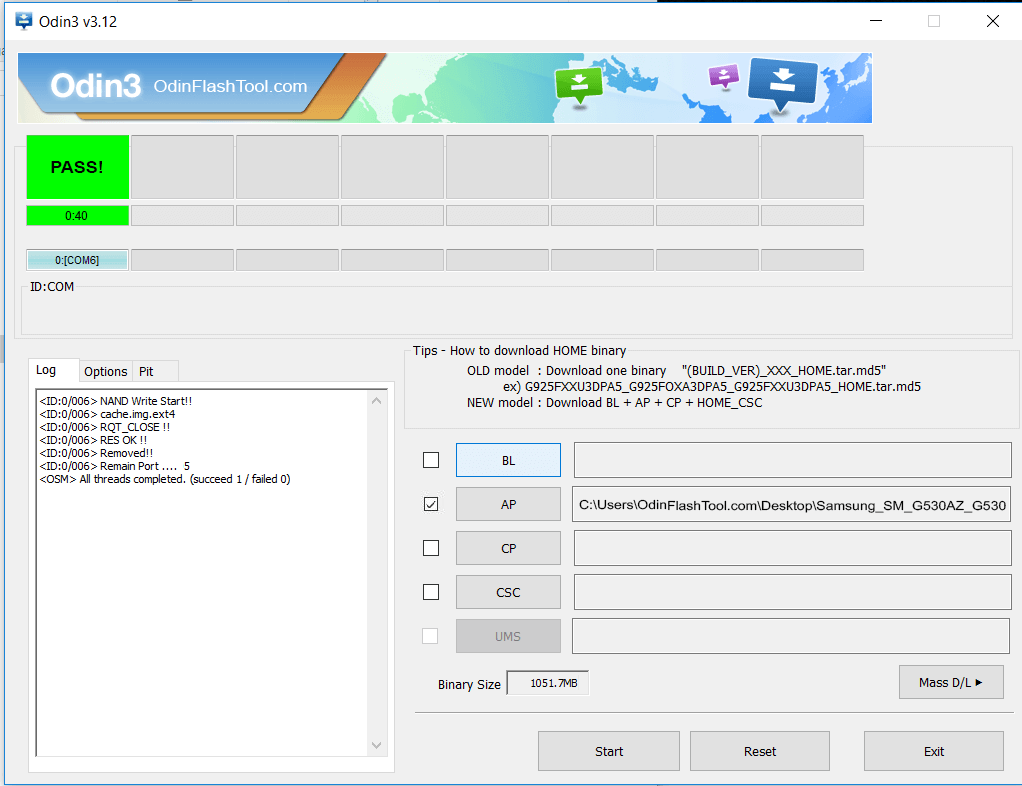
- Click PDA / AP and browse to Downloaded Magisk File.
- Select “Auto Reboot”
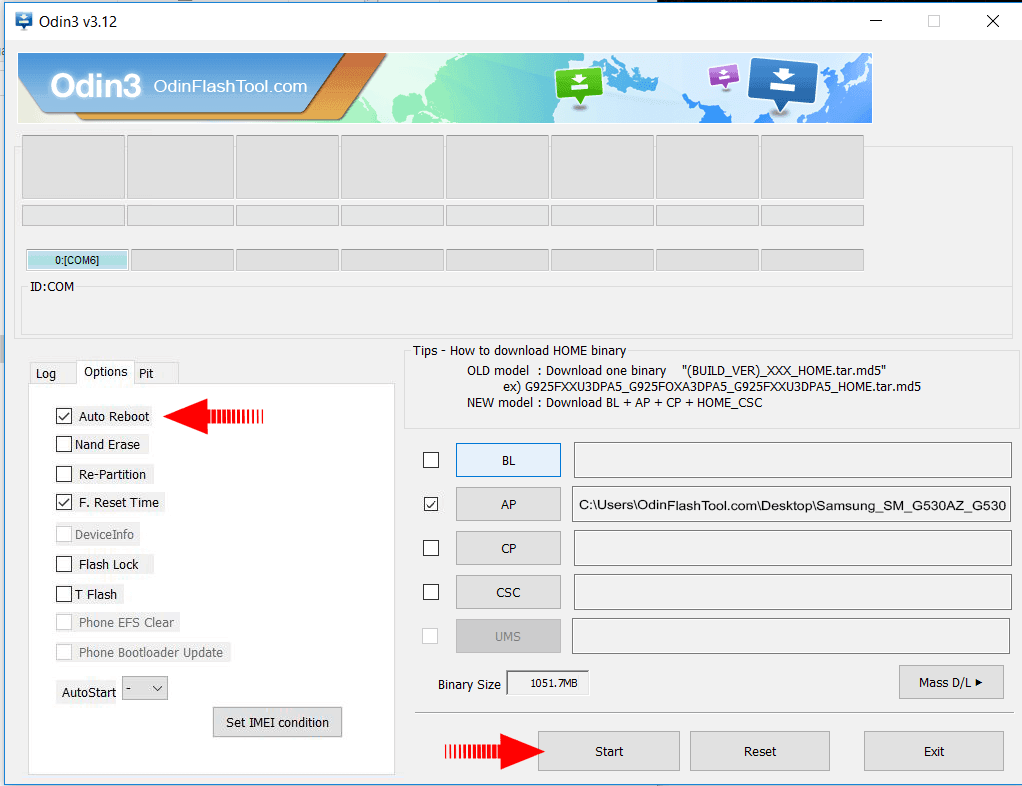
- Start Rooting by Clicking Start..
Step 8
- Please wait until phone restart automatically. and it will display Green Pass


0 Comments